
Overview
After the card basics are complete, Marrly takes you to package selection. Decide based on the real features you need, such as RSVP summary, blessings, music, or video backgrounds.
Quick Facts
Best used when
Use this article when you are deciding between Starter, Pro, and Premium or explaining what happens after payment succeeds.
Menu path
Wizard > Select package > Checkout
Estimated time
4 min read
Before You Begin
- Review which features you actually need, such as QR gifting, RSVP summary, or video backgrounds.
- Keep any discount code ready before choosing the package.
Steps
- 1
Compare the benefits of each package
Read the editing window, image limits, and enabled features of each package before choosing.
- 2
Choose the package that matches the real workflow
If you need RSVP summary, blessings, or more advanced back-office features, choose a package that supports them from the start.
- 3
Confirm the checkout details
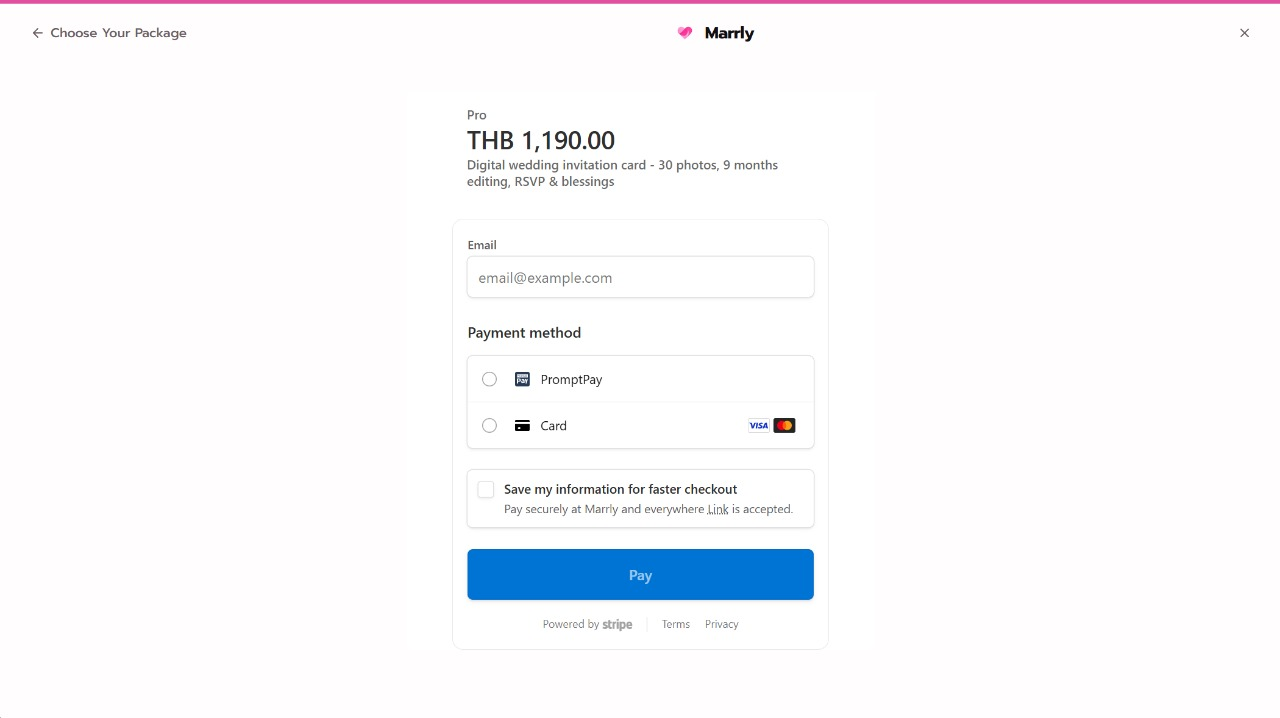
Marrly opens an embedded checkout so you can pay securely without leaving the create-card flow.
Common Mistakes
Result
You choose the right package and complete payment so the card is ready for real use.