
Overview
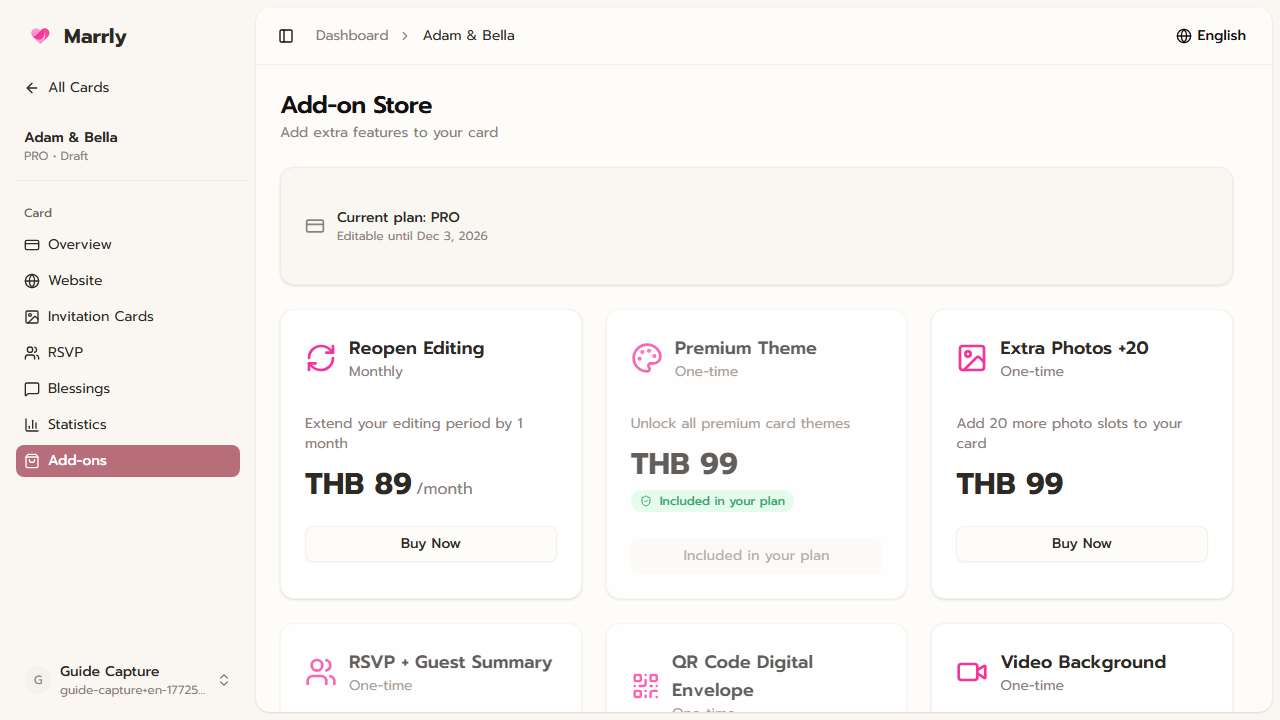
The Add-ons menu is used to unlock capabilities beyond the base package, such as background video, extra image capacity, or other rights needed for a specific event.
Quick Facts
Best used when
Use this article when the current package is not enough for the real event or when you need to confirm which features are already included.
Menu path
Dashboard > Select card > Add-ons
Estimated time
4 min read
Steps
- 1
Open the Add-ons page of the card to upgrade
Add-ons apply at the card level, so always verify that you are inside the intended card first.
- 2
Check what is already included
Marrly marks add-ons that are already active or already purchased so you do not buy the same capability twice.
- 3
Choose only the extras you really need
Review what each add-on unlocks, how much it costs, and whether it is worth enabling for the actual event before starting checkout.
Common Mistakes
Result
You can tell when the base package is enough and when buying a targeted add-on is the better choice.