
Overview
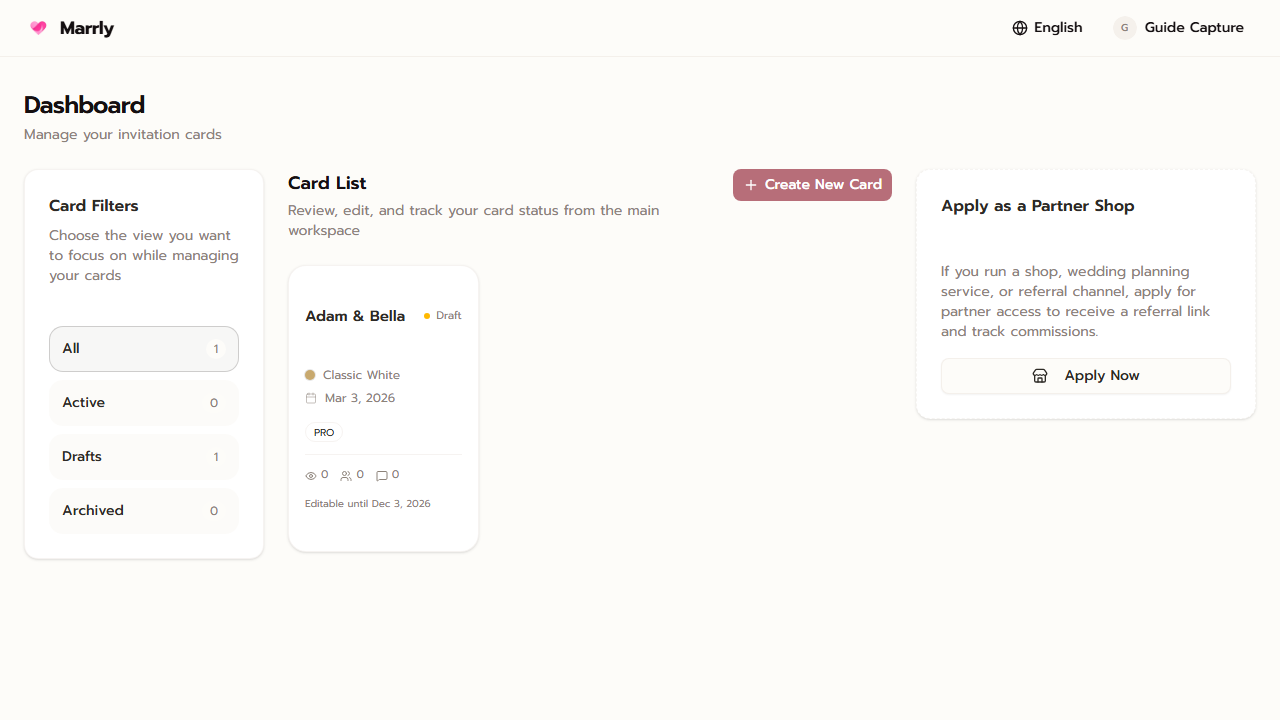
The Dashboard is the card directory for your account. When a purchase succeeds, Marrly shows the created cards here together with the entry points to each card's management screens.
Quick Facts
Best used when
Use this article right after payment or when you need a refresher on where to go for cards, account settings, and payment history.
Menu path
Dashboard
Estimated time
3 min read
Steps
- 1
Open the list of cards in the account
Each card shows enough summary information for you to choose the next management step quickly.
- 2
Open the card you want to manage
Each card leads to its own overview screen, which is the entry point before edit, RSVP, blessings, stats, and add-ons.
- 3
Use the account menu for Billing and Settings
Account-level menus stay separate from card-level menus so you can review orders and edit account details in one clear place.
Common Mistakes
Result
You understand that the main Dashboard is for choosing cards and reaching account-level actions.