
Overview
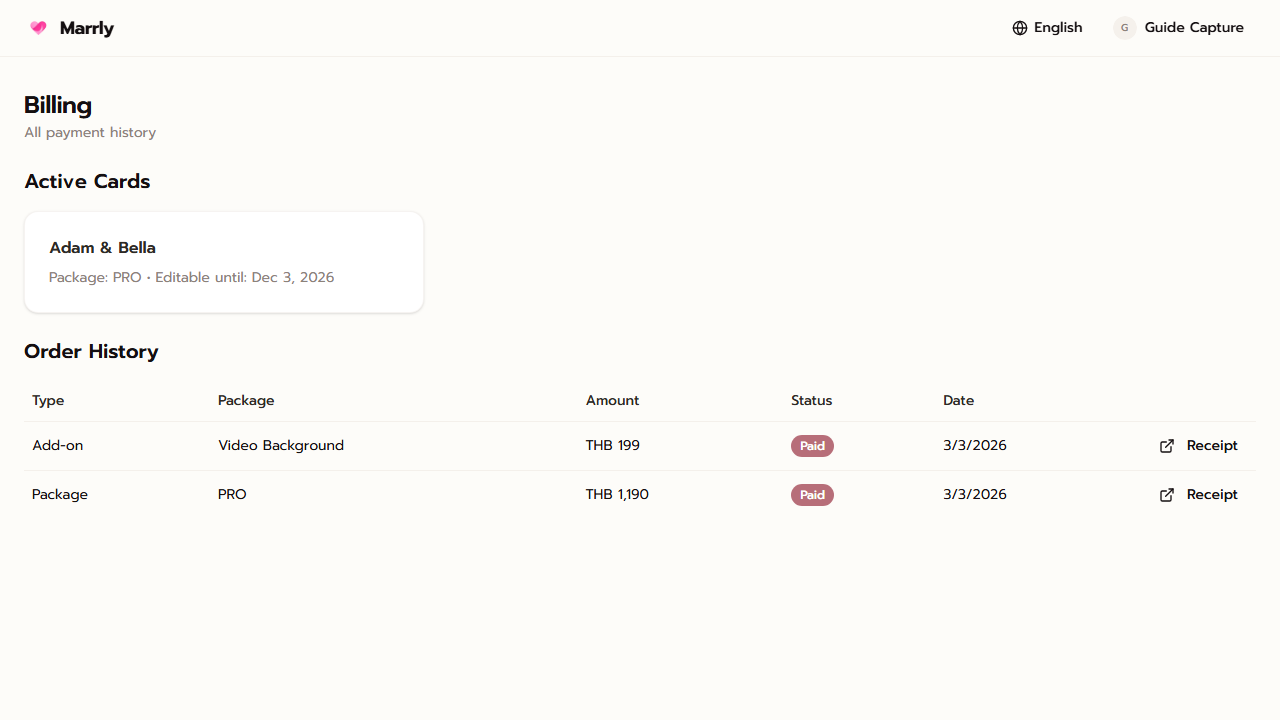
Billing is the order center for the account. It combines the main package orders and add-on purchases so you can review current rights, past transactions, and payment evidence in one place.
Quick Facts
Best used when
Use this article when you need to confirm what has already been purchased, which package is active, or whether a recent payment has been recorded.
Menu path
Dashboard > Billing
Estimated time
3 min read
Steps
- 1
Open Billing from the account menu
Billing lives at the account level rather than under a single card because it aggregates orders across the whole account.
- 2
Check packages and order statuses
Review which orders succeeded, which are still pending, and which package or add-on each order belongs to.
- 3
Use Billing after every purchase
After buying a package or an add-on, open Billing to confirm the order was saved to the account correctly.
Result
You can verify packages and historical orders from one place without opening cards one by one.